
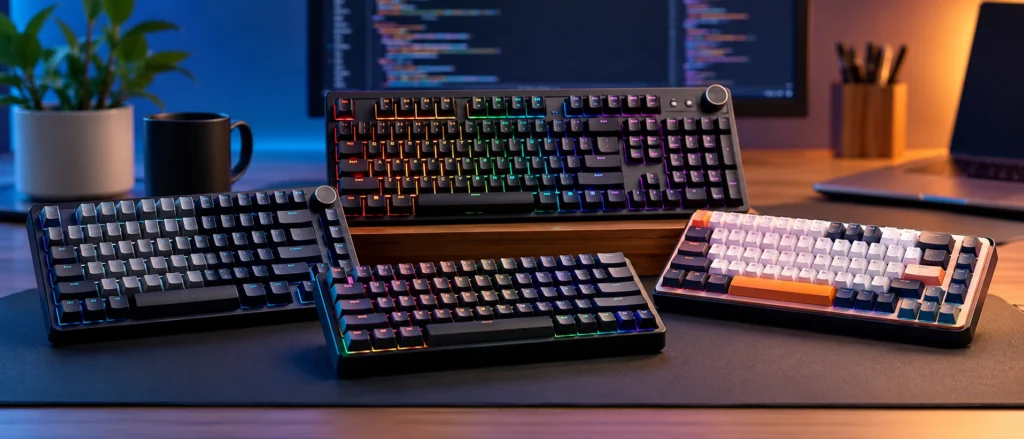
Spending eight hours a day typing logic and documentation on a mushy membrane keyboard leads to finger fatigue and missed keystrokes. This guide helps developers and students in India find a reliable mechanical alternative for under ₹3,000 in 2026. You will find a ranked list of keyboards, a breakdown of essential technical specs, and a practical framework for choosing the right switch type for long coding sessions.
The selections are shortlisted based on published specifications, user reviews, and buyer feedback. The focus remains on durability and typing accuracy rather than flashy gaming lights. Since prices fluctuate across Indian e-commerce platforms, check the current listings for the most accurate deal. This list prioritizes value to ensure you get a tool that lasts without overspending on unnecessary features.
Disclosure: This post contains affiliate links. If you buy through them, TechVistaLab may earn a small commission at no extra cost to you. It does not change which products are recommended.
Our top picks
Acer Nitro G Wired Mechanical Keyboard
~₹2,309
Programmers needing a number pad
Quick Picks
| Pick | Product | Price | Best for |
|---|---|---|---|
| 🏆 Best Overall | Acer Nitro G Wired Mechanical Keyboard | ~₹2,309 | Programmers needing a number pad |
| ⭐ Best Connectivity | Zebronics Max Ninja | ~₹2,999 | Switching between multiple computers |
| 💰 Best Budget | Zebronics Max Ninja 61 | ~₹1,249 | Tight budgets |
| ⭐ Fastest Response | Redragon K617 Fizz | ~₹2,100 | High-speed input |
| ⭐ Tactile Choice | MageGee 75% Mechanical Gaming Keyboard | ~₹2,299 | Users who prefer clicky switches |
How to Choose the Right Mechanical Keyboards
Switch Type
Linear red switches provide a smooth feel and quieter operation, which helps avoid distracting colleagues during long coding sessions. Blue switches offer a tactile click but are louder. For longevity, look for a high keystroke life; some budget options list up to 200 million presses, while others offer 50 million. Check if the board uses magnetic switches if you need faster response times.
Layout and Size
A 98% layout keeps the number pad for data-heavy tasks while saving desk space. TKL or 75% boards remove the numpad to give your mouse more room. If you travel with your laptop, a 60% compact design is the most portable. Ensure the key count fits your workflow, as 61-key boards sacrifice dedicated function rows and arrow keys for a smaller footprint.
Connectivity
Wired connections are reliable and often support higher polling rates, with some reaching 8,000Hz for instant input. If you switch between a laptop and a desktop, look for tri-mode connectivity featuring Bluetooth, 2.4Ghz wireless, and Type-C wired options. Some wireless models allow pairing with up to three Bluetooth devices, making it easier to manage multiple machines without swapping cables.
Build and Extras
PBT keycaps are generally more durable than ABS. For a softer typing feel, a gasket-mounted structure reduces vibrations during heavy typing. Look for a multifunction control knob to adjust volume or brightness without leaving your code editor. If you work in low light, verify if the board offers per-key RGB or fixed colors, and check for anti-ghosting to ensure every keystroke registers.
How They Score for Coding and Programming
| Product | Layout Functionality | Typing Comfort | Build Durability | Connectivity Options | Overall |
|---|---|---|---|---|---|
| Acer Nitro G Wired Mechanical Keyboard | 10 | 9 | 8 | 5 | 8.0 |
| Zebronics Max Ninja | 4 | 7 | 8 | 10 | 7.3 |
| Zebronics Max Ninja 61 | 4 | 7 | 9 | 5 | 6.3 |
| Redragon K617 Fizz | 4 | 8 | 7 | 5 | 6.0 |
| MageGee 75% Mechanical Gaming Keyboard | 7 | 6 | 6 | 5 | 6.0 |
- Layout Functionality: More keys reduce the need for awkward modifier layers during coding.
- Typing Comfort: Long sessions require switches and structures that reduce finger fatigue.
- Build Durability: Frequent typing demands long-lasting switches and fade-resistant keycaps.
- Connectivity Options: Wireless or multi-device support helps manage multiple workstations.
Scores out of 10 are TechVistaLab's editorial assessment, based only on what each product's published specifications and listings state. They are not lab measurements.
1. Acer Nitro G Wired Mechanical Keyboard: Best Overall
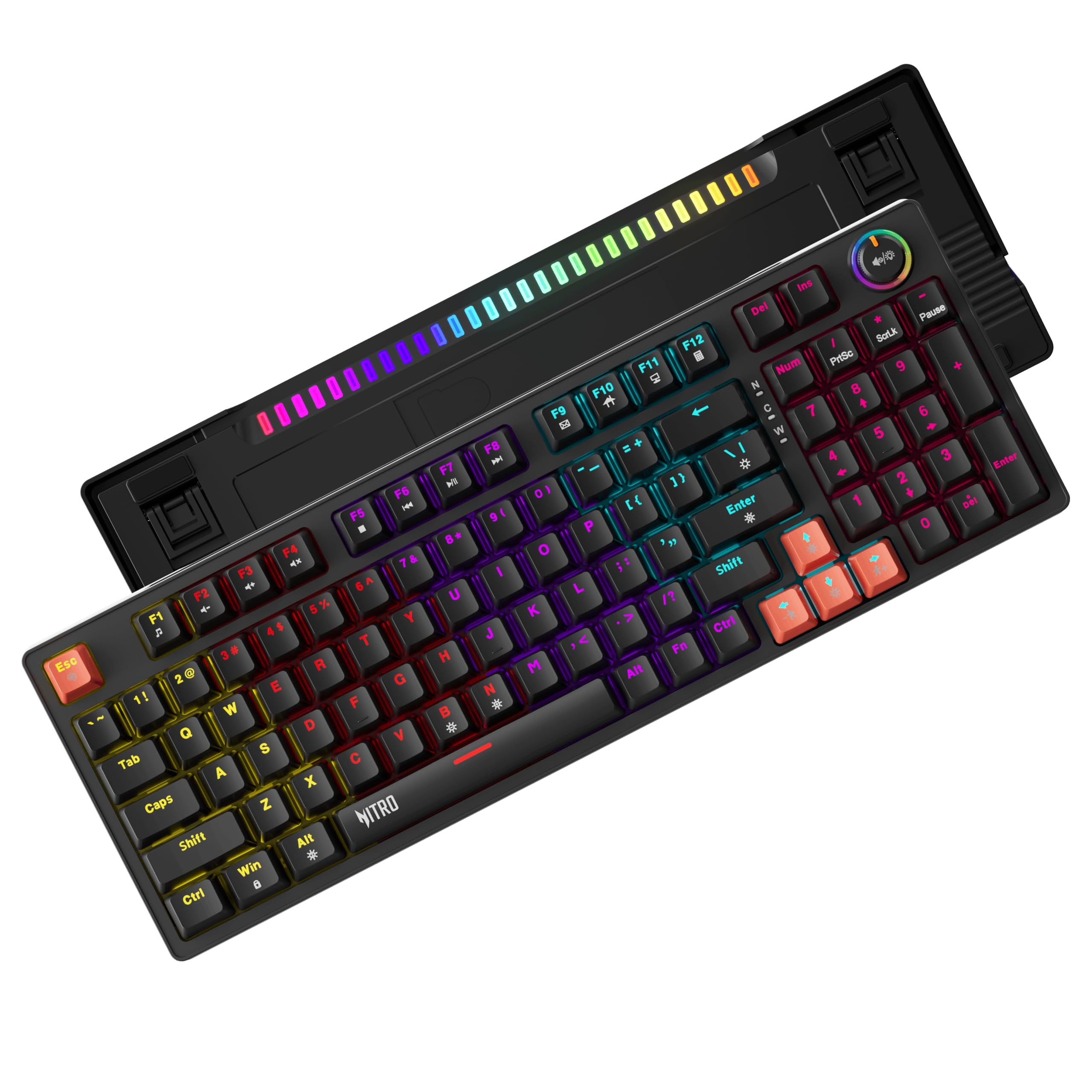
Listed around ₹2,309 (list price ₹3,999, 42% off). Prices change often.
Acer Nitro G provides a 98% layout with 96 keys, offering nearly full-size functionality in a compact frame. This design keeps the number pad accessible for data-heavy tasks without eating up desk space. Red linear switches and a gasket-mounted structure create a cushioned, low-vibration typing experience that reduces finger fatigue during long coding sessions.
Double-shot injection keycaps prevent legends from fading, while a multifunction control knob allows quick adjustments to volume or brightness. A PVC reinforced cable ensures the connection remains stable during daily use.
Compared to the Redragon K617 Fizz, which uses a 60% layout, the Nitro G is far better for programmers who need a dedicated number row and navigation keys. While the Redragon focuses on hyper-polling speeds, the Acer prioritizes a comprehensive layout and shock-free typing comfort.
Key specs
| Spec | Details |
|---|---|
| Layout | 98% Layout with 96 Keys |
| Switches | Red linear mechanical switches |
| Switch Life | 50 million keystrokes |
| Structure | Gasket-mounted |
| Lighting | RGB Flowing Light and Mixed-Color Key Glow |
| Keycaps | Double-shot injection |
Pros
- Gasket-mounted structure provides a softer, shock-free typing feel
- Double-shot keycaps ensure the letters never fade over time
- Multifunction knob simplifies media and brightness control
- 98% layout retains number pad utility in a smaller size
Cons
- Lacks the wireless and multi-device pairing found in the Zebronics Max Ninja
Programmers needing a number pad
Pick this for a full-size layout and comfortable typing; skip it if you require wireless connectivity or a smaller 60% footprint.
2. Zebronics Max Ninja: Best Connectivity
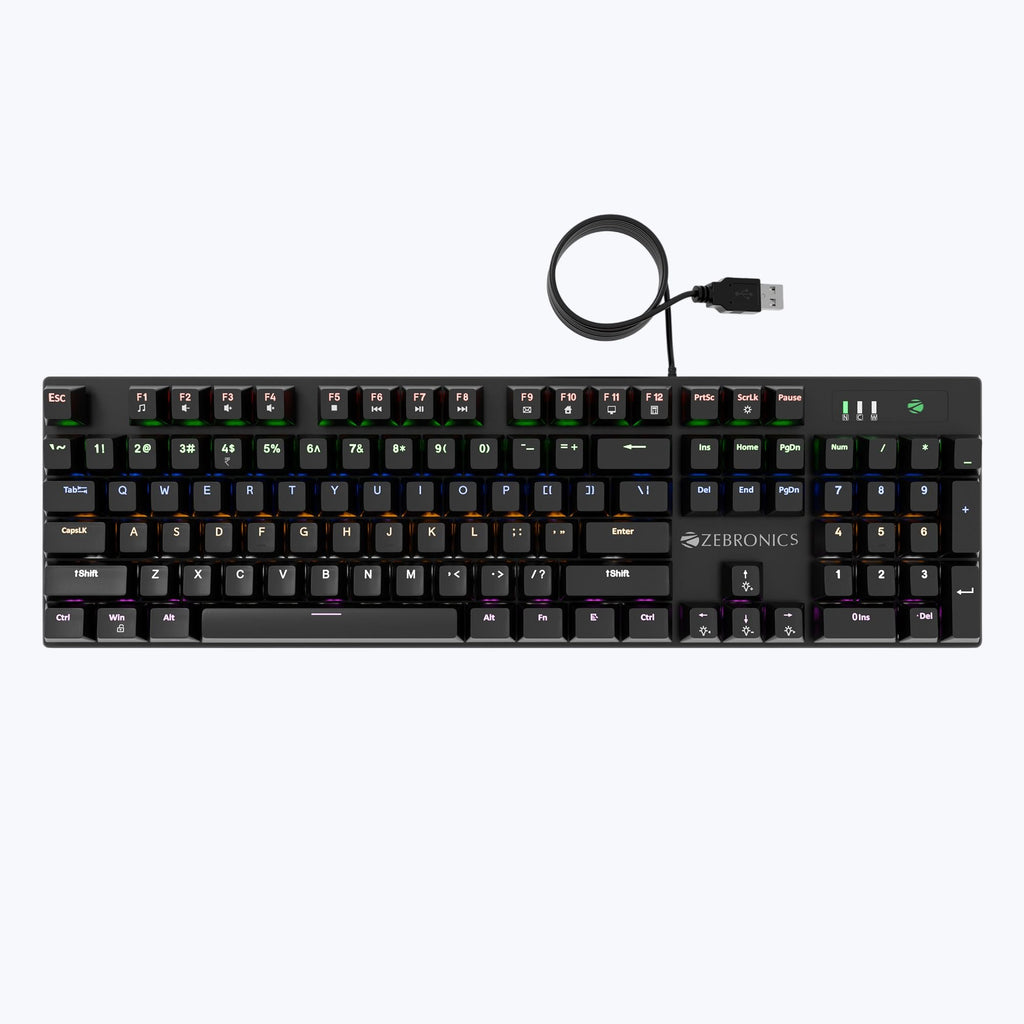
Listed around ₹2,999 (list price ₹8,999, 67% off). Prices change often.
Zebronics Max Ninja offers three ways to connect: Bluetooth, a 2.4Ghz wireless nano receiver, and a detachable Type C cable. This versatility allows you to pair up to three Bluetooth devices and switch between them quickly, which is useful for developers managing a laptop and a desktop simultaneously. A magnetic slot keeps the nano receiver secure when not in use.
Durability comes from PBT keycaps, which resist the shine and wear common with heavy typing. The 60% compact form factor removes wire clutter and frees up desk space for a mouse or notebooks. Full RGB lighting provides 21 modes and 5 brightness levels to suit different lighting environments.
Unlike the Redragon K617 Fizz, which is limited to a wired connection, this model provides complete wireless freedom. While the Redragon focuses on hyper-polling for speed, the Max Ninja prioritizes flexibility across multiple machines. N key rollover ensures every keystroke registers accurately during long coding sessions.
Key specs
| Spec | Details |
|---|---|
| Form Factor | 60% compact |
| Connectivity | Bluetooth, 2.4Ghz wireless nano receiver, and detachable Type C wired connection |
| BT Connections | Up to 3 BT devices |
| Backlighting | Full RGB with 21 backlit LED modes, 5 brightness levels, and 5-speed modes |
| Keycaps | PBT keycaps |
| Key Rollover | N key rollover |
Pros
- Switch between three Bluetooth devices for multi-machine setups
- Durable PBT keycaps resist wear during long typing sessions
- Three connectivity options eliminate cable clutter on your desk
- Customizable RGB for every key to personalize your workspace
Cons
- Check if the 60% layout meets your specific shortcut needs
Switching between multiple computers
Pick this if you need to switch between multiple computers wirelessly, but skip it if you prefer a full-sized layout for data entry.
3. Zebronics Max Ninja 61: Best Budget
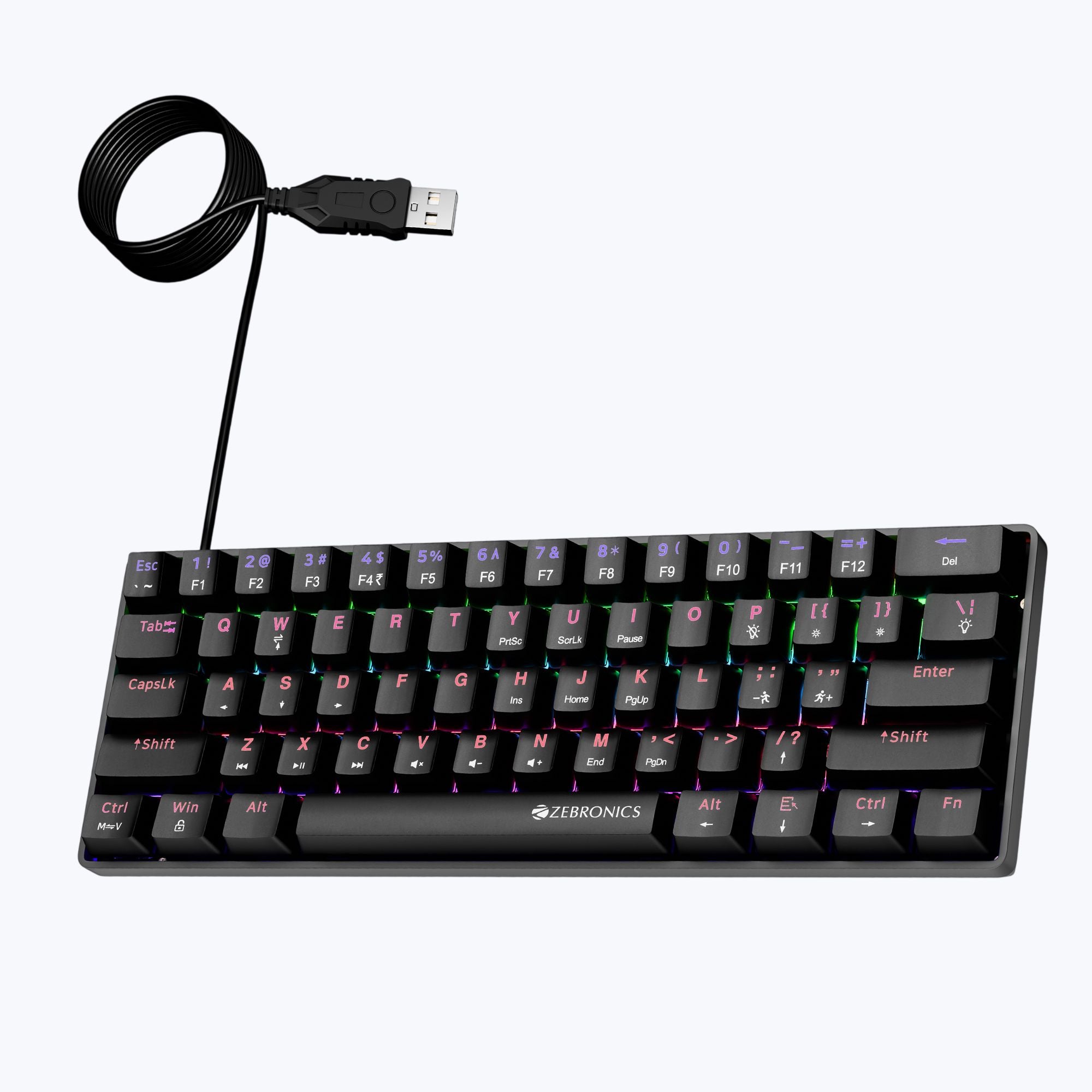
Listed around ₹1,249 (list price ₹2,499, 50% off). Prices change often.
Zebronics Max Ninja 61 uses a 60% compact design that frees up desk space for notebooks or reference monitors. Linear red switches provide a silent typing experience, which helps avoid distracting colleagues or family during long coding sessions. Double shot keycaps ensure the legends do not fade from frequent use of common programming symbols.
Technical specifications list a key lifespan of 200 million strokes, significantly higher than the 50 million rated for the Redragon K617 Fizz. The board includes 26-key anti-ghosting and 17 LED backlit modes to maintain visibility in dim environments.
A 1.5m USB cable handles the connection, though the 125Hz polling rate is modest. This model focuses on essential mechanical feel and durability without the wireless versatility found in more expensive options.
Key specs
| Spec | Details |
|---|---|
| Keyboard Type | Mechanical |
| Total No. of Keys | 61 |
| Keystroke | Key pressure 45±10gf, Key Travel 4.0±0.4mm |
| Key life span | 200,000,000 times |
| Polling Rate | 125Hz |
| Cable length | 1.5m |
Pros
- Silent linear red switches prevent noise distractions while typing
- Double shot keycaps resist wear and fading over time
- High rated key lifespan ensures long-term reliability
- Compact footprint maximizes available desk space
Cons
- Lower polling rate compared to high-performance alternatives
- Lacks the wireless and multi-device pairing of premium models
Tight budgets
Pick this for a durable, silent entry into mechanical typing on a budget, but skip it if you need wireless connectivity or hyper-polling.
4. Redragon K617 Fizz: Fastest Response
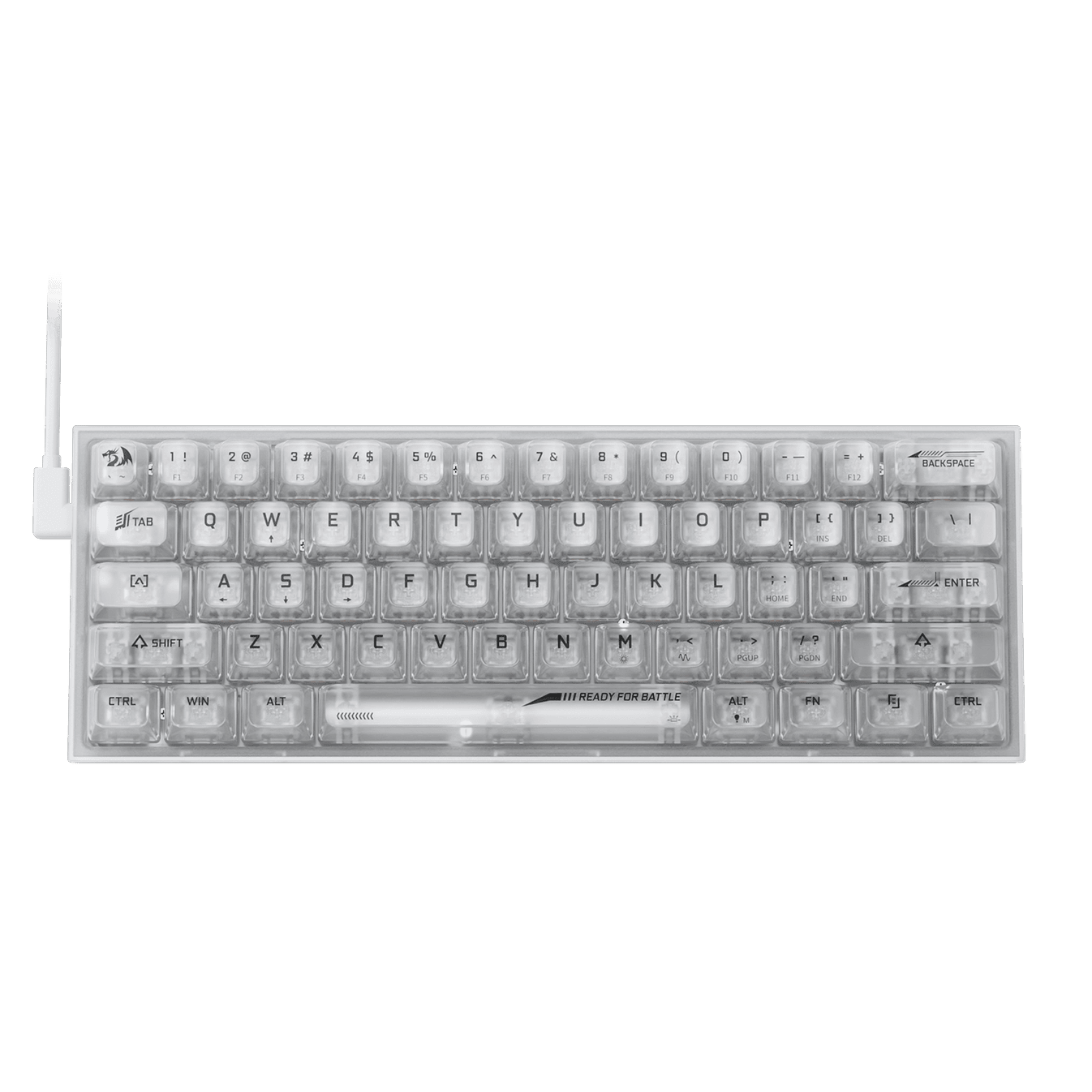
Listed around ₹2,100 (list price ₹3,499, 40% off). Prices change often.
Redragon K617 Fizz uses linear magnetic switches with Rapid Trigger technology to allow for dynamic activation and deactivation. The 8,000Hz hyper-polling rate and adjustable actuation point between 0.1mm and 4.0mm provide a level of precision rarely found in budget options. This responsiveness allows you to assign two different movements to a single key based on how hard you press it.
Hot-swappable sockets support both 3-pin and 5-pin switches, giving you the freedom to customize the typing feel. Per-key RGB backlighting includes 20 preset modes for visual customization. It works across Windows and macOS, making it versatile for different development environments.
Compared to the Zebronics Max Ninja 61, the K617 Fizz offers a significantly higher polling rate for faster input registration. While the Zebronics model lists a longer total keystroke lifespan, the Redragon focuses on precision and adjustable actuation that the cheaper Zebronics unit lacks.
Key specs
| Spec | Details |
|---|---|
| Layout | 60% |
| Connectivity | Wired |
| Number of Keys | 61 Keys |
| Polling Rate | 8,000Hz hyper-polling |
| Switch Lifespan | 50 million keypresses |
| Actuation Point | 0.1mm precision adjusted between 0.3-4.0 mm |
Pros
- Rapid Trigger technology ensures near-instant key activation
- Adjustable actuation points allow for customized typing precision
- Hot-swappable sockets make it easy to replace or upgrade switches
- High polling rate reduces input lag during intense tasks
Cons
- Lacks the wireless and Bluetooth options found in the Zebronics Max Ninja
High-speed input
Pick this if you need extreme precision and adjustable actuation, but skip it if you require wireless connectivity for your setup.
5. MageGee 75% Mechanical Gaming Keyboard: Tactile Choice
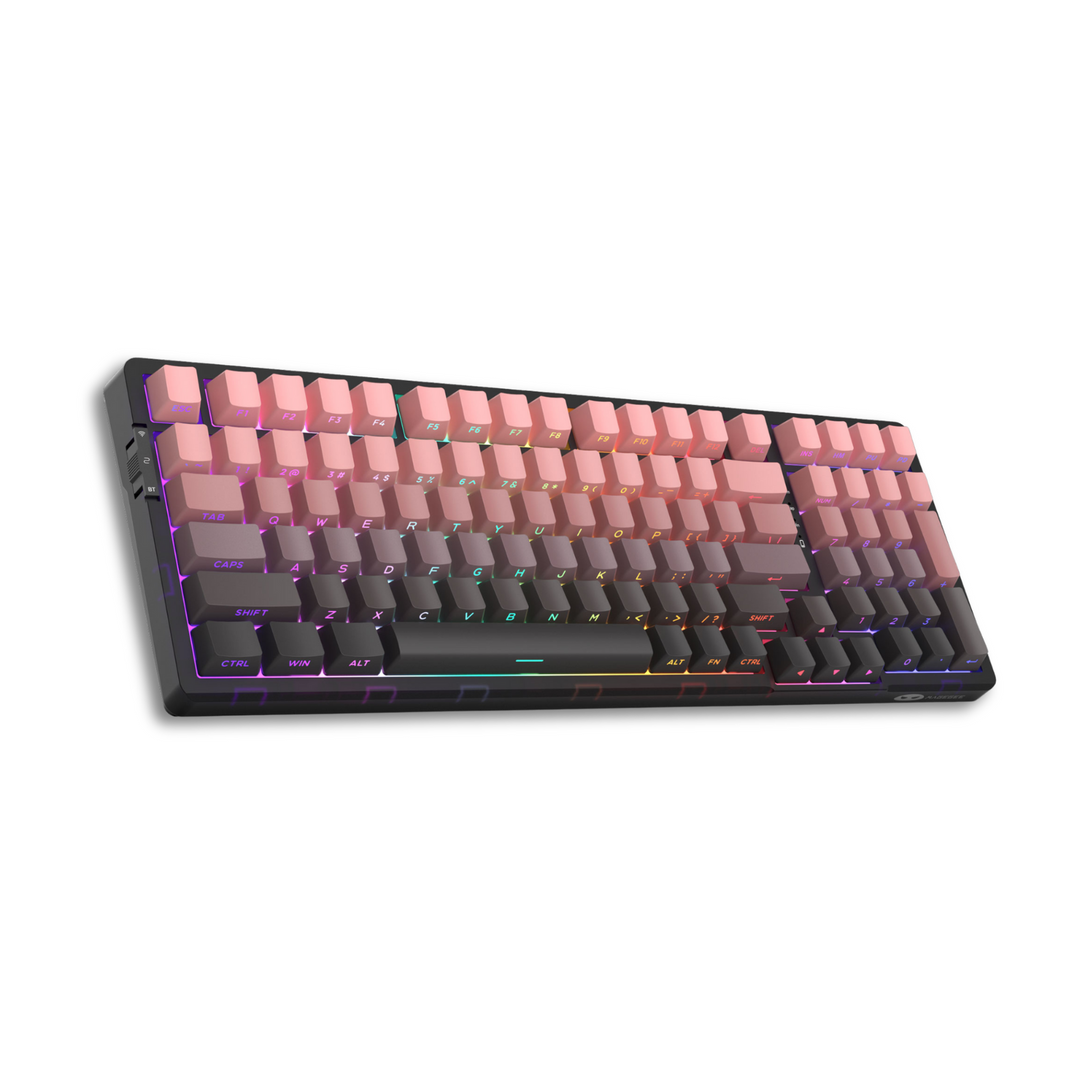
Listed around ₹2,299 (list price ₹8,120, 72% off). Prices change often.
MageGee uses blue switches to provide the tactile feedback many programmers prefer for accuracy. The 87-key layout retains essential function keys while saving desk space, and a metal panel adds durability to the chassis. Full antighosting across all keys ensures every command registers during complex shortcuts.
Customization includes 20 backlight modes and 12 dedicated multimedia keys for quicker control over system audio and playback. A splashproof design protects the internals from accidental spills, while adjustable kickstand feet allow for a more ergonomic typing angle.
Compared to the Zebronics Max Ninja, this model lacks wireless connectivity and PBT keycaps but offers a larger layout with more keys. It is a wired alternative for those who prioritize a stable connection and a dedicated function row over the portability of a 60% board.
Key specs
| Spec | Details |
|---|---|
| Switch Type | Blue Switch |
| Backlight | LED Blue Backlit |
| Number of Keys | 87 Keys |
| Form Factor | Compact TKL |
| Connectivity | Wired |
| Compatibility | Windows Laptop PC |
Pros
- Tactile blue switches improve typing accuracy
- Metal panel and splashproof design increase longevity
- Full antighosting prevents missed keystrokes during fast typing
- Adjustable feet help reduce wrist strain
Cons
- Lacks the wireless and multi-device pairing found in more expensive options
- Limited to blue LED lighting instead of full RGB
Users who prefer clicky switches
Pick this if you want tactile blue switches and a function row; skip it if you need wireless connectivity or a silent typing experience.
Side-by-Side Comparison
| Product | Price | Layout | Connectivity | Switch Type |
|---|---|---|---|---|
| Acer Nitro G Wired Mechanical Keyboard | ~₹2,309 | 98% (96 keys) | Wired | Red linear |
| Zebronics Max Ninja | ~₹2,999 | 60% | Bluetooth, 2.4Ghz, Wired | — |
| Zebronics Max Ninja 61 | ~₹1,249 | 60% (61 keys) | — | Red linear |
| Redragon K617 Fizz | ~₹2,100 | 60% (61 keys) | Wired | Linear magnetic |
| MageGee 75% Mechanical Gaming Keyboard | ~₹2,299 | 75% (87 keys) | Wired | Blue |
Figures come from published specifications and listings; prices change often. A dash means the listing does not state it.
Frequently Asked Questions
Which budget mechanical keyboard is best for switching between multiple devices?
The Zebronics Max Ninja supports up to three Bluetooth devices, a 2.4Ghz wireless nano receiver, and a detachable Type C wired connection. This allows for fast-switching between different machines. Other options like the Redragon K617 Fizz or Acer Nitro G are wired only and cannot connect to multiple devices simultaneously.
Do any of these keyboards have a number pad for data entry?
The Acer Nitro G features a 98% layout with 96 keys, providing more coverage than the compact options. Most other budget models listed use 60% or TKL layouts. For example, the Zebronics Max Ninja 61 and Redragon K617 Fizz have only 61 keys, meaning they lack a dedicated number pad.
Which keyboard is the quietest for shared office spaces?
Linear red switches generally produce less noise than clicky alternatives. The Zebronics Max Ninja 61 specifically lists silent and linear red switches. The Acer Nitro G also uses red linear switches. Avoid the MageGee 75% if silence is a priority, as it uses blue switches which are typically louder.
What is the difference between the Redragon K617 Fizz and Zebronics Max Ninja 61?
The Redragon K617 Fizz offers an 8,000Hz hyper-polling rate and rapid trigger tech with linear magnetic switches. The Zebronics Max Ninja 61 is more affordable at around ₹1,249 and features a 125Hz polling rate. While both are 60% compact, the Redragon focuses on response speed and the Zebronics on basic linear typing.
Final Verdict
Choosing the right board depends on your desk space and typing preference. The Acer Nitro G Wired Mechanical Keyboard offers the most balanced experience for general use. If a wireless setup is a priority, the Zebronics Max Ninja handles connectivity best, while the Zebronics Max Ninja 61 keeps costs at a minimum.
The Redragon K617 Fizz suits those who need the fastest response times during intense sessions. For a more tactile feel under the fingertips, the MageGee 75% Mechanical Gaming Keyboard is the better pick. Compare the current price and seller on Amazon before buying to ensure you get the best deal. Always check the specific warranty terms for each model to protect the investment.
Sources and Method
TechVistaLab does not run lab tests. Candidates were shortlisted from published roundups and manufacturer listings, then kept only where their specifications could be checked against the pages linked below. Prices are the figures those pages showed in October 2026; list prices in India are often far above what a product actually sells for, so check the live listing. Scores are editorial judgements built from the same published specifications.
- Acer Nitro G Wired Mechanical Keyboard: amazon.in, dealsmagnet.com, pricehistory.app
- Zebronics Max Ninja: smartprix.com, news18.com, shop.zebronics.com
- Zebronics Max Ninja 61: zebronics.com, shop.zebronics.com
- Redragon K617 Fizz: computechstore.in, ubuy.co.in, playloot.in
- MageGee 75% Mechanical Gaming Keyboard: amazon.in, chimiya.com, ubuy.co.in